¶ Application Deployment demo
¶ Deploy Phyton Application
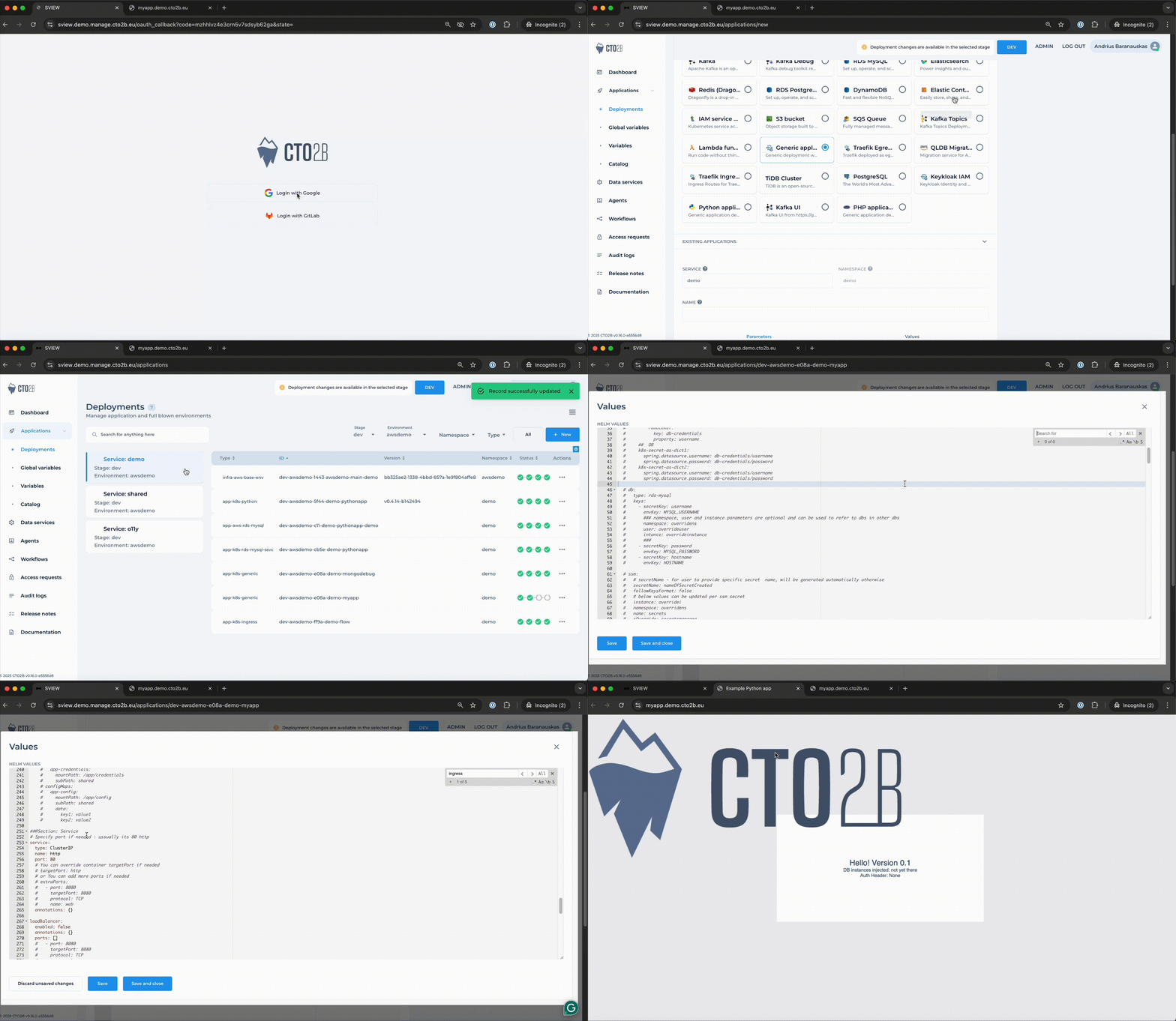
From the left-side navigation, click on Deployments. Then click New at the top-right of the screen to create a new deployment. Choose your target environment. Scroll down and select Python Application from the list of available templates. Adjust the Helm values to fit your application's requirements. After adjusting the values, click Save. CTO2B will automatically create all necessary Kubernetes resources, including pods, services, certificates, and ingress.
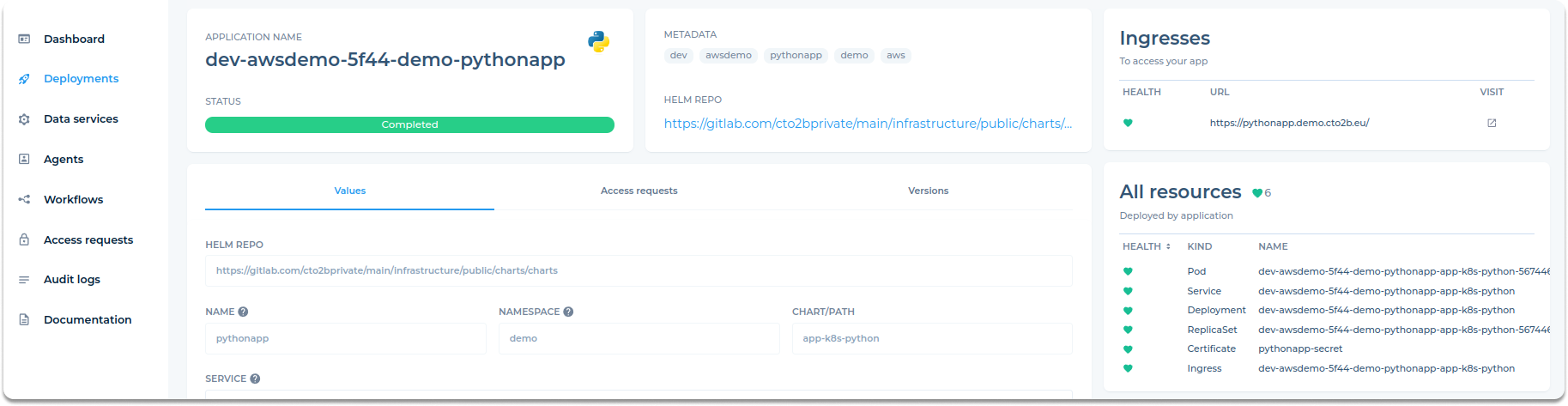
The deployment overview page shows the application name, status, and a link to view logs. The Helm Repo, Namespace, and Chart Path provide deployment details. The All Resources section lists created Kubernetes resources, and the Vulnerabilities section highlights any critical CVEs, giving insight into the deployment's security.
Once your deployment is complete, you can find the application's URL for access under the Ingresses section, as shown below:
¶ Configure CI/CD Pipeline (Optional)
To automate deployments, you can integrate CTO2B with your CI/CD pipeline.
Configure bitbucket-pipelines.yml: Set up your Bitbucket pipeline configuration file to utilize these variables for building and deploying your application.
¶ Additional Resources:
- CTO2B Key Concepts: Understand the foundational concepts of CTO2B.
- CTO2B Pipelines Documentation: Learn more about setting up and managing pipelines.
- CTO2B Dependency Management: Dive deeper into managing dependencies within your deployments.
By following these steps, you can effectively deploy and manage your Python applications using CTO2B.